Configuration Steps
  1. Configure GitHub Integration within Wiv
  2. Using the side-menu, navigate to Integrations page:
  3. Click on GitHub
image
  1. Click on New GitHub Integration
image
  1. Provide a GitHub Integration Name and click Add to App

image
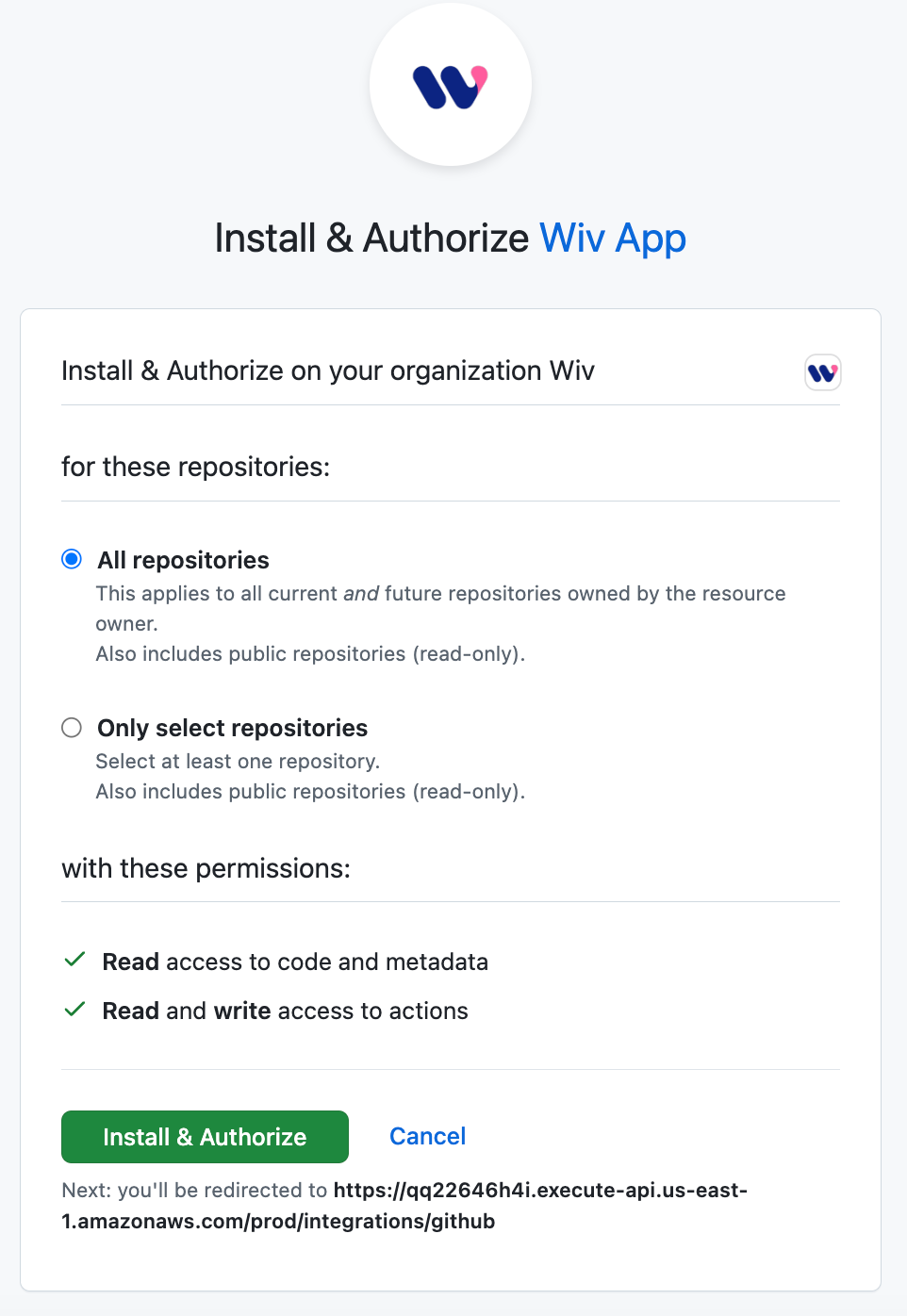
You will be directed to GitHub Install & Authorize Wiv GitHub App page
image
  1. ** Configure and install Wiv GitHub App page**
  2. Select All repositories or only select repositories you would like Wiv to have access to:

image
  1. Permissions
Wiv Requires the following GitHub permissions:
  1. Actions - Read & Write
  2. Contents - Read Only
  3. Metadata - Read Only
  4. Click on Install & Authorize
image
You will be redirected to the Wiv Platform with a “Successfully added integration” indication
image