One of Wiv’s most powerful features is the ability to enrich data from AWS APIs and billing information, including Cost Explorer, and direct queries to the Cost and Usage Report (CUR). The Athena Query step simplifies this process, making complex financial data analysis accessible and efficient.

Why Use the Athena Query Step?

Typically, querying Athena for CUR data involves multiple steps:
  1. Running the query and capturing the query ID
  2. Checking when the query is complete
  3. Reading the query results from S3
  4. Displaying the data
Wiv’s Athena Query step wraps all these steps into one, streamlining your workflow and saving you time.

Key Features

  1. One-Step Process: Execute Athena queries and retrieve results in a single step.
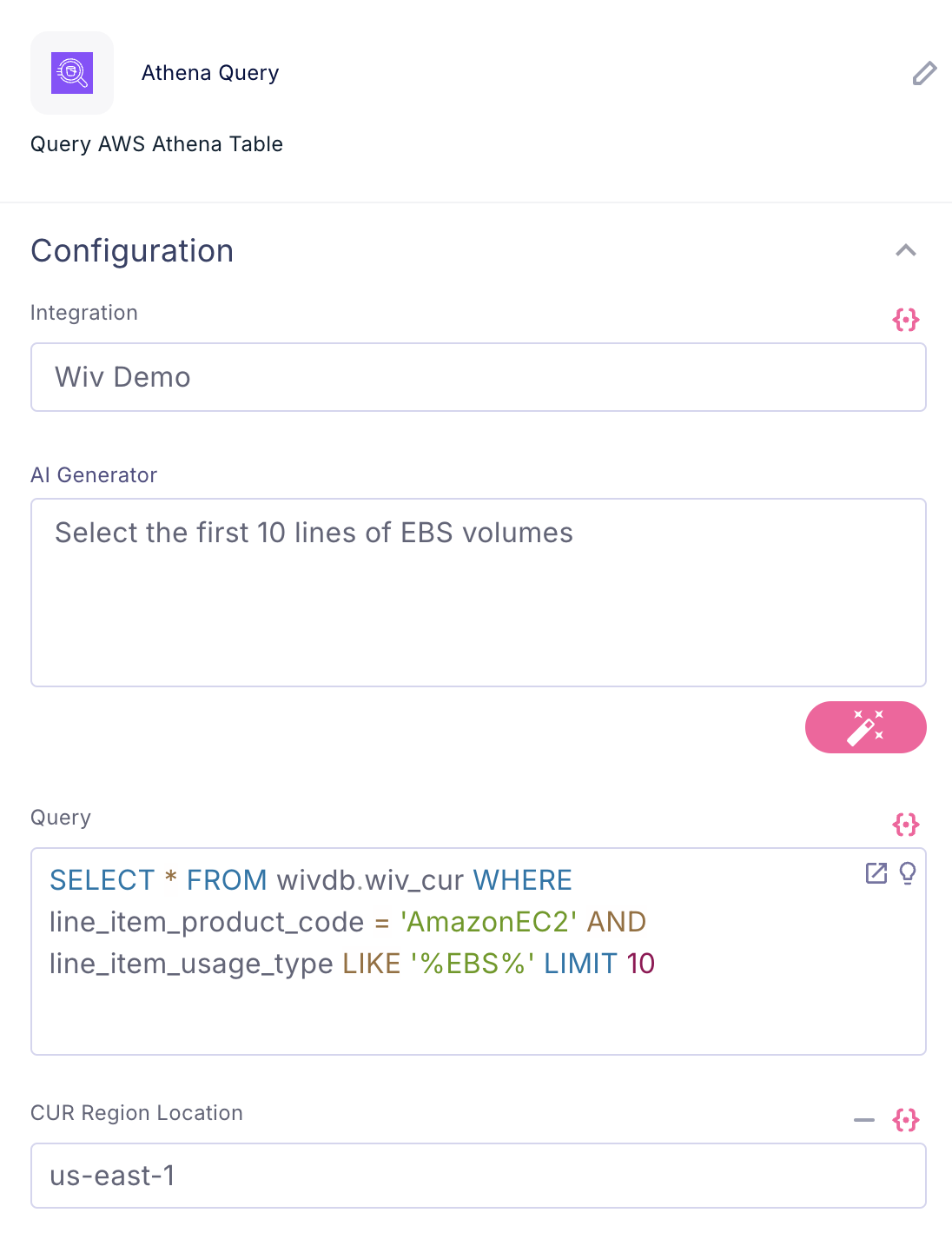
  2. AI-Powered Query Generation: Use natural language to describe what you want to query, and our AI engine will generate the appropriate CUR query for you.
  3. Data Enrichment: Easily combine CUR data with information from AWS APIs and Cost Explorer for comprehensive analysis in a workflow

How to Use the Athena Query Step
image
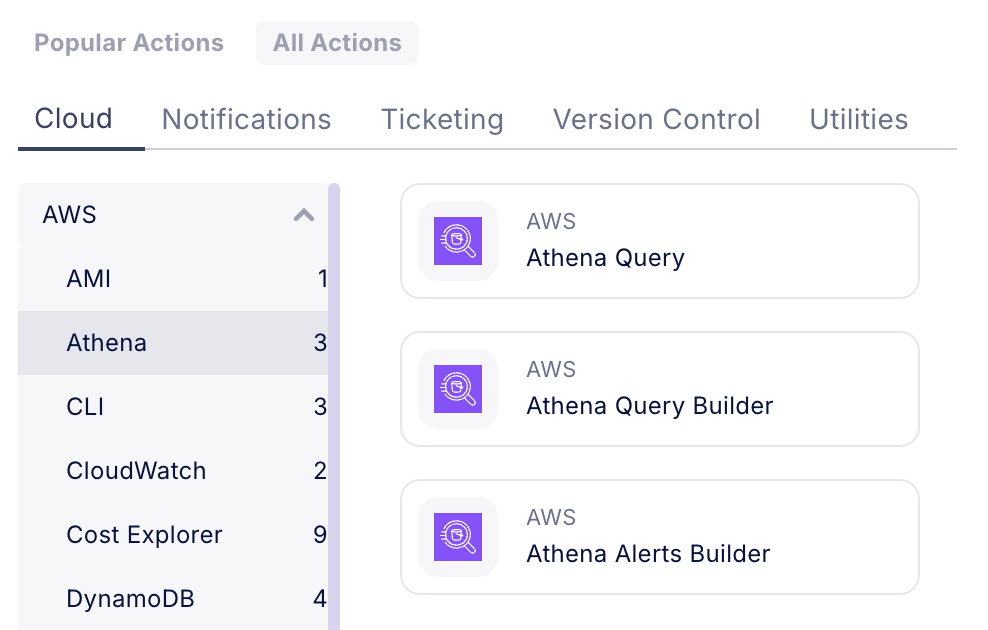
  1. Add the Athena Query step to your workflow
  2. Choose between writing your own SQL query or using the AI-powered query generation
  3. If using AI, describe your query requirements in natural language
image
  1. Execute the step and receive your results

Example Use Case

Let’s say you want to find the top 10 EC2 instances by cost for the last month:
  1. Add the Athena Query step
  2. In the AI input, write: “Show me the top 10 EC2 instances by cost for the last month”
  3. Our AI will generate the appropriate SQL query
  4. Execute the step to get your results

Important Consideration

**❗Query Cost** _Be aware that running Athena queries incurs costs. AWS charges $5 per 1TB of data scanned. Use this step judiciously to manage your costs effectively. more information: [https://aws.amazon.com/athena/pricing/](https://aws.amazon.com/athena/pricing/)__[](https://aws.amazon.com/athena/pricing/)_**_[](https://aws.amazon.com/athena/pricing/)_**
**? Pro Tip** _To optimize costs, consider ways to reduce the amount of data scanned. This might include using partitions, limiting the date range, or filtering for specific resources when possible_

Conclusion

The Athena Query step in Wiv empowers you to perform complex CUR data analysis with ease. By combining multiple steps into one and offering AI-powered query generation, it simplifies your FinOps workflows and helps you gain deeper insights into your AWS spending.