Overview
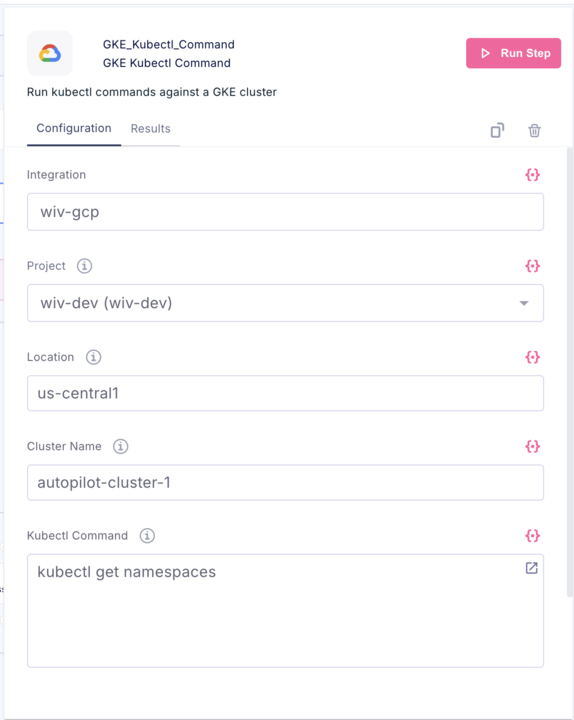
The GKE_Kubectl_Command step allows you to run kubectl commands directly against a Google Kubernetes Engine (GKE) cluster without needing to manually configure authentication or kubeconfig files.Configuration Fields
| Field | Description | Example |
|---|---|---|
| Integration | The GCP integration/connection to use for authentication | wiv-gcp |
| Project | The GCP project containing your GKE cluster | wiv-dev (wiv-dev) |
| Location | The region or zone where your cluster is deployed | us-central1 |
| Cluster Name | The name of your GKE cluster | autopilot-cluster-1 |
| Kubectl Command | The kubectl command to execute | get namespaces |
How to Use
- Select your GCP integration from the dropdown
- Choose the GCP project that contains your cluster
- Enter the cluster’s location (region for Autopilot/regional clusters, zone for zonal clusters)
- Enter the cluster name
- Type your kubectl command in the command field
- Click Run Step
Output Format
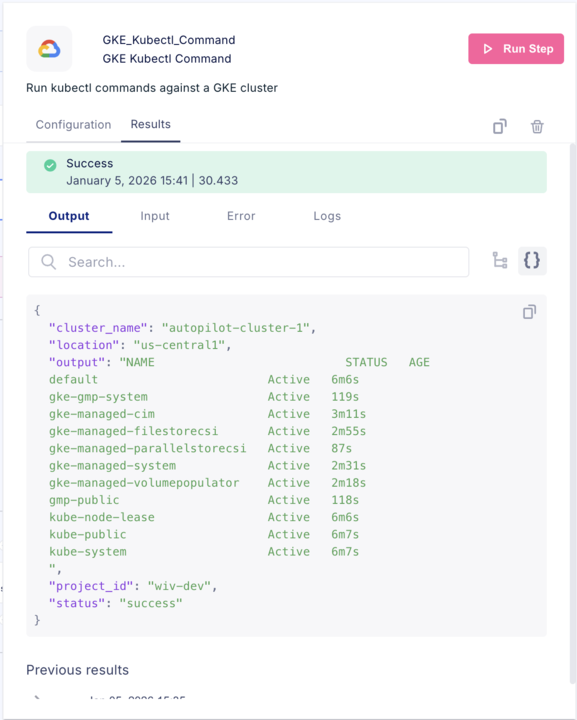
The step returns a JSON object containing:Example Commands
| Command | Description |
|---|---|
get namespaces | List all namespaces |
get pods -A | List all pods across all namespaces |
get nodes | List cluster nodes |
get deployments -n default | List deployments in default namespace |
describe pod <pod-name> -n <namespace> | Get details about a specific pod |
logs <pod-name> -n <namespace> | View pod logs |
Notes
- The step handles GKE authentication automatically using the selected integration
- Execution time varies based on the command (shown in the results header)
- Previous results are preserved for reference