image
A Sub-workflow functions similarly to a reusable function in programming, allowing you to incorporate one workflow within another using the Flow Control Step. This creates a Parent-Child relationship between workflows where:
  • The Entry Step acts like function parameters, accepting input values from the Parent workflow
  • The Exit Step works as a return statement, sending results back to the Parent workflow
This approach promotes efficiency and maintainability by eliminating the need to recreate identical workflow logic multiple times. Instead, you can design a workflow once and reuse it across different scenarios by calling it as a sub-workflow, controlling its behavior through parameters passed from the parent workflow. For example, if you have a common process like data validation that’s needed in several larger workflows, you can create it once as a sub-workflow and easily incorporate it wherever needed, adjusting its behavior through the Entry step parameters.

How to use

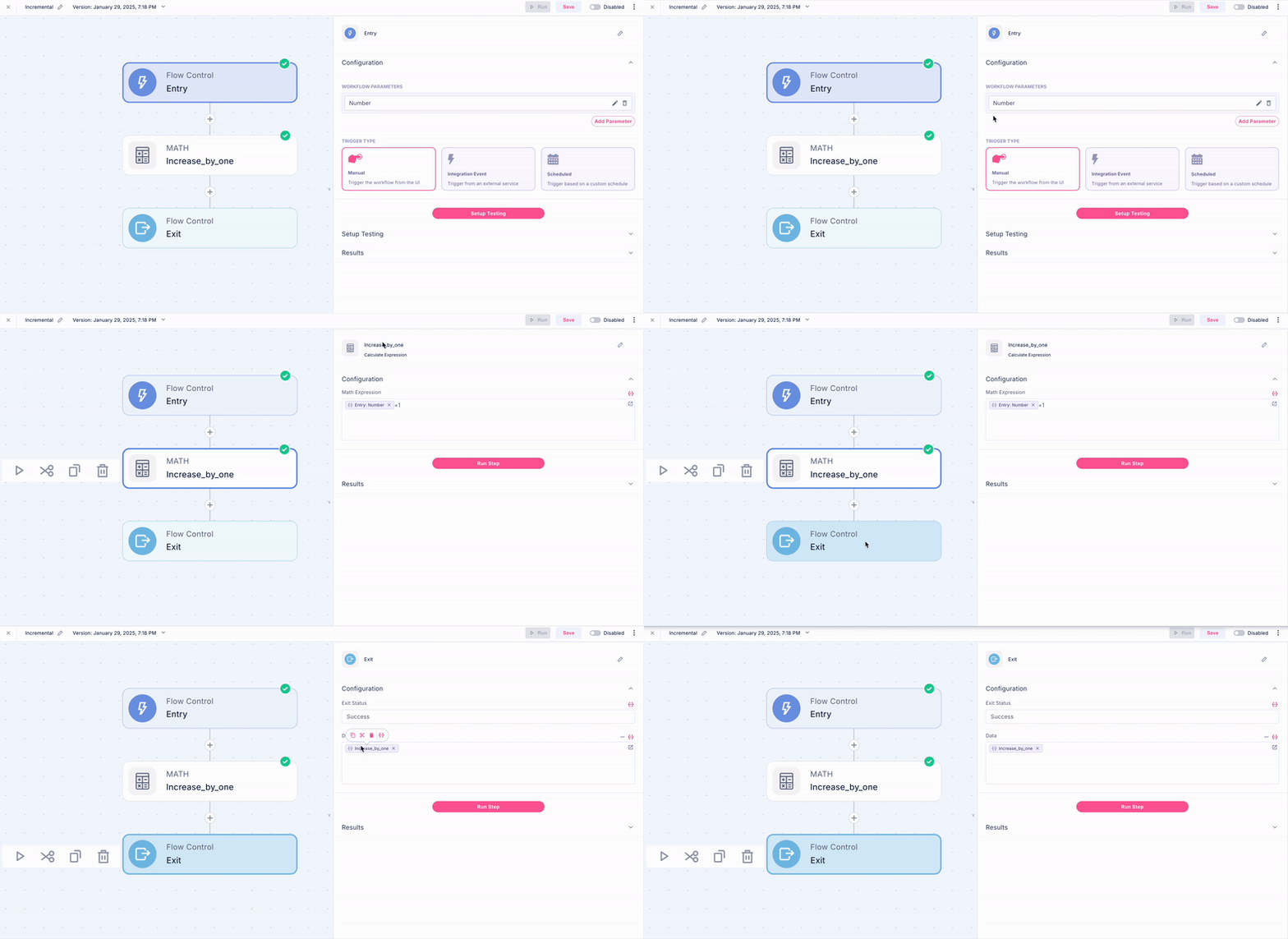
Consider a simple workflow that adds 1 to a given number, for the purpose of this we called the workflow Incremental. Here’s how it works:
  1. The Entry Step takes the initial number as an input parameter - this is like defining a function parameter that accepts the starting value
  2. The Math Step performs the increment operation by adding 1 to the input number
  3. The Exit Step returns the new incremented value back to wherever this workflow was called from
This straightforward example demonstrates the three key components of a sub-workflow:
  • Accepting input (Entry Step)
  • Processing the data (Math Step)
  • Returning results (Exit Step)
Think of it like a self-contained function that takes a number, adds 1 to it, and gives you back the result - ready to be used wherever you need this incrementing functionality in your larger workflow systems.
image
To utilize a sub-workflow, you’ll need to configure the Flow Control Step in your main workflow.  Here’s the process:
  1. First, use the Flow Control Step to locate and select your desired sub-workflow. In this case the Incremental workflow. 
  2. Then, map your data to the sub-workflow’s entry parameters - these are the values you want to pass in for processing. 
  3. Once the sub-workflow completes its execution, you can access and process the returned value in your main workflow.
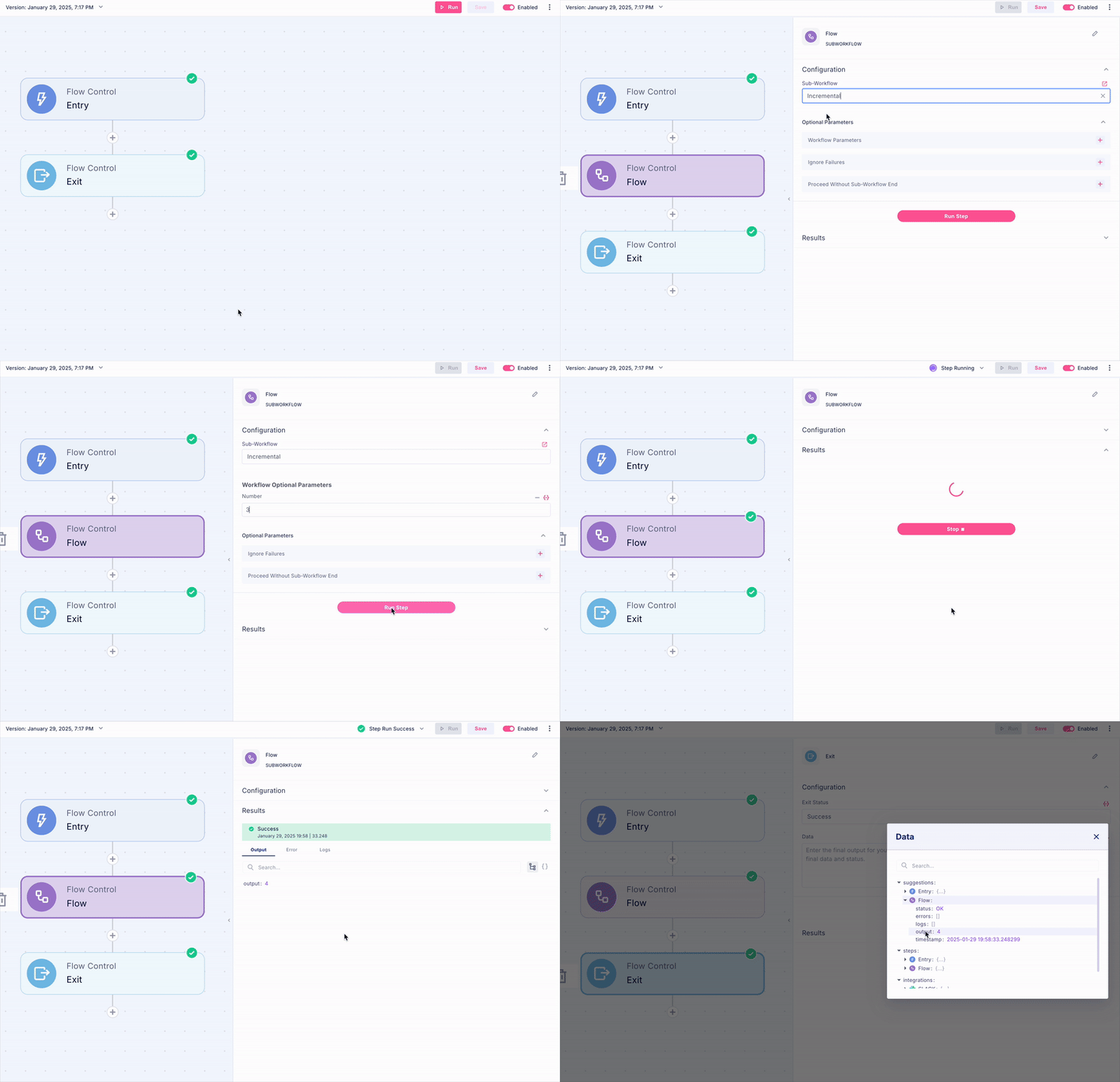
Think of it like calling a function in programming: you identify the function (sub-workflow), provide the necessary arguments (entry parameters), and then work with the returned result after the function finishes running
image