
When to use IF Flow Control
The IF operator is particularly useful in FinOps automations in scenarios like:- Cost Thresholds: When a resource’s cost is greater than a set budget (e.g., $1000), trigger an alert or automatic scaling action
- Resource Tagging: If a resource tag contains “Production”, apply specific cost allocation rules; if tag is empty, flag for compliance review
- Budget Comparison: When actual spend less than forecast, approve resource provisioning requests; if greater than, require additional approvals
- Service Selection: If instance type equals “Reserved Instance”, apply different pricing calculations than on-demand instances
- Compliance Checks: When billing tags not equals required format, route to a correction workflow
- Idle Resource Detection: If resource utilization less than 20%, flag for optimization review
Working with the IF Flow Control
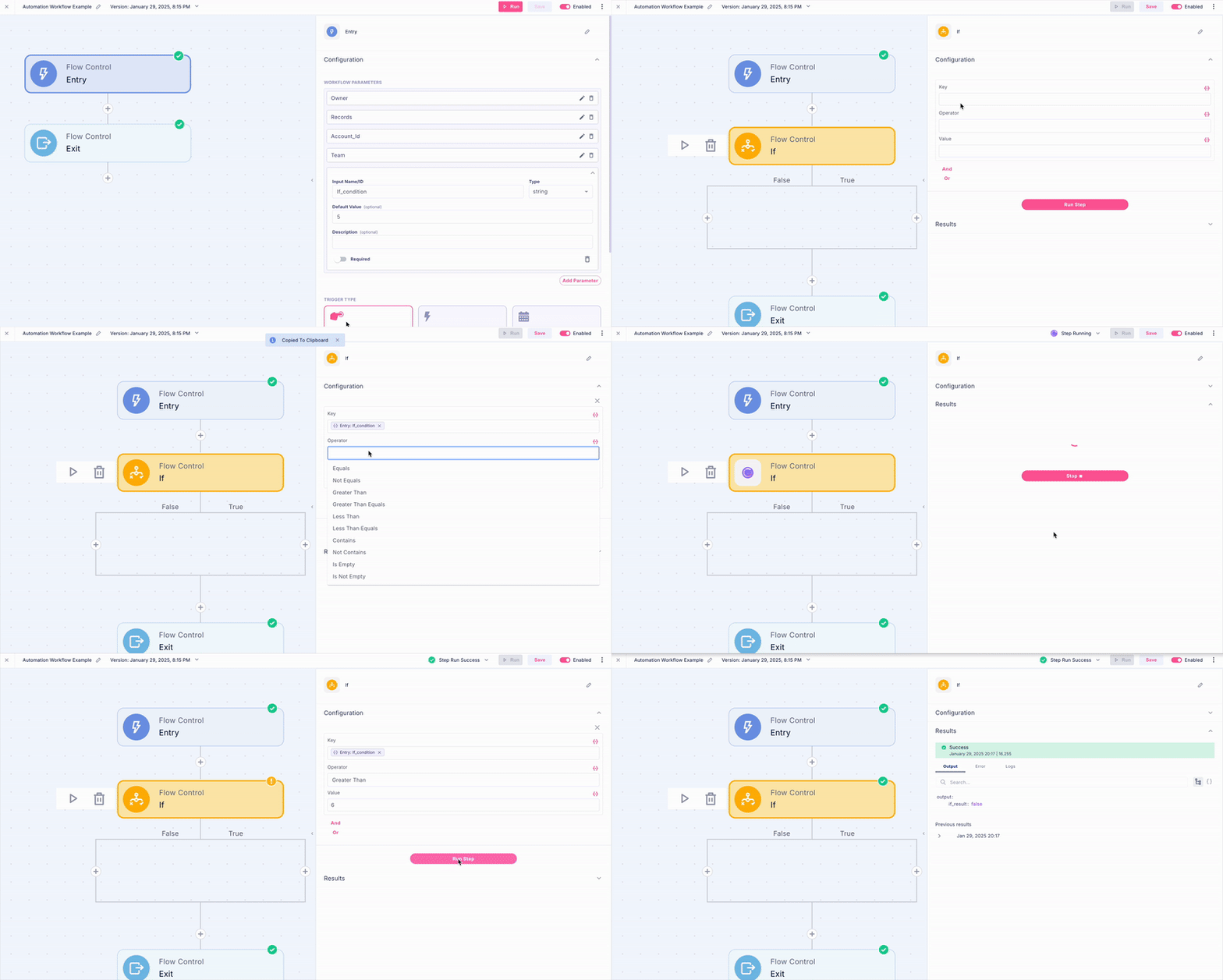
- To configure an IF condition in your workflow, follow these three essential steps:
- Key Selection: Identify the specific data point or variable you want to evaluate - this could be a cost value, resource tag, or any other workflow parameter
- Operator Choice: Pick the appropriate comparison operator (equals, contains, less than, etc.) that defines how you want to compare values
- Comparison Value: Define what you’re comparing against - this can be a fixed value or a dynamic parameter from your workflow
- For example, to check if a cloud resource’s daily cost exceeds a threshold:
- Key: DailyCost
- Operator: greater than
- Value: 500
- To check if something is equal to an empty string, leave the value of the condition empty.