Overview
The Post Message and Post Reply To Message Steps allows you to communicate with your engineering teams, and reply to a specific message within a thread on Slack during a workflow execution. By posting new messages and using threaded replies, you can preserve context and keep discussions focused within specific topics.

Workflow Example
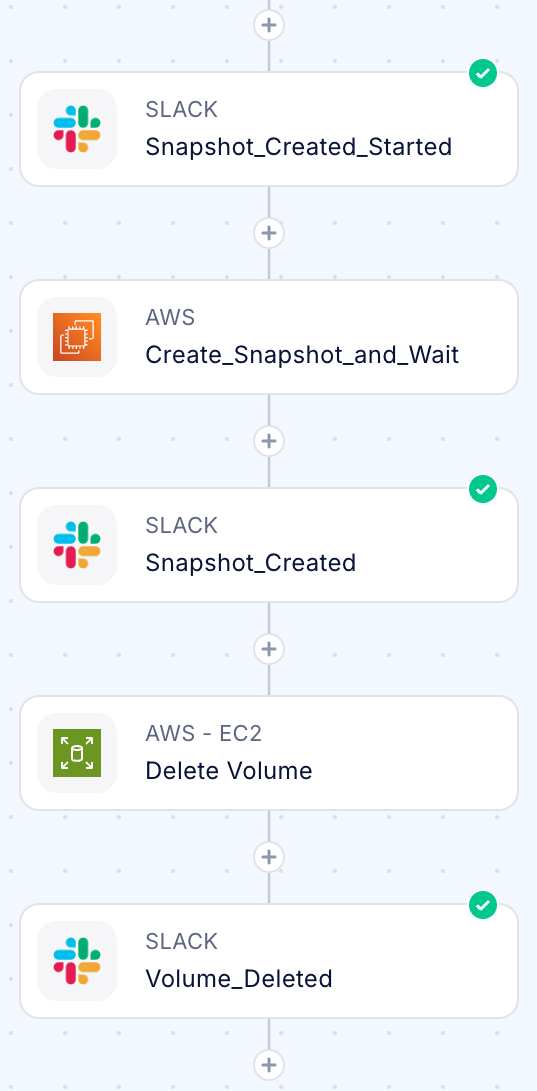
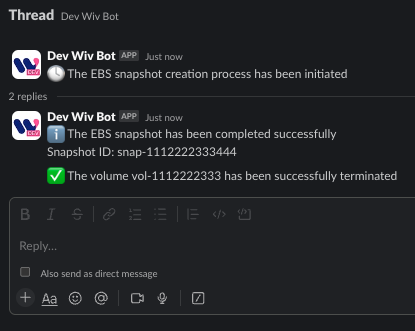
- Once approved, the automation initiates with a main Slack message notifying the approver that the process is beginning by using the Post Message step
- The system creates and completes the EBS snapshot (handled automatically by the platform)
- A threaded reply updates the original message to confirm the snapshot’s completion by using the Post Reply To Message step
- The volume deletion process executes
- A final threaded reply notifies the approver that the volume has been successfully terminated
Using the Slack Communication
Using Post Message Step
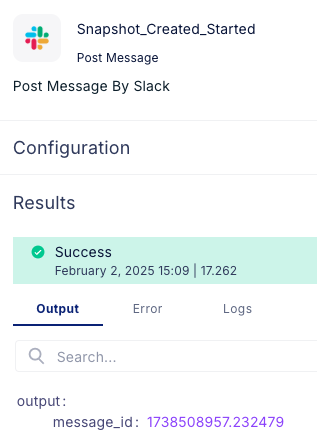
Obtaining the Message I****d - Each Post Message Slack Step in your workflow returns the _message_id_ of the sent message. You can use this _message_id_ in the subsequent Post Reply To Message Slack Step to send a reply to that specific message.
To access the message_id returned by a ‘Post Message’ Slack Step:
- Add a Post Message Slack Step to your workflow and configure it to send a message to the desired channel.
-
After the Post Message Slack Step, you can access the
message_idusing the appropriate variable or output mapping
- Use the obtained
message_idas the input for the Post Reply To Message Slack Step to send a reply to that specific message. Using the example above:
Requirements for Post Reply To Message
To use the Post Reply To Message Slack Step, you need to have:- A Slack account integration with the necessary permissions to send messages.
-
The
message_idof the Slack message you want to reply to
Using Post Reply To Message Step
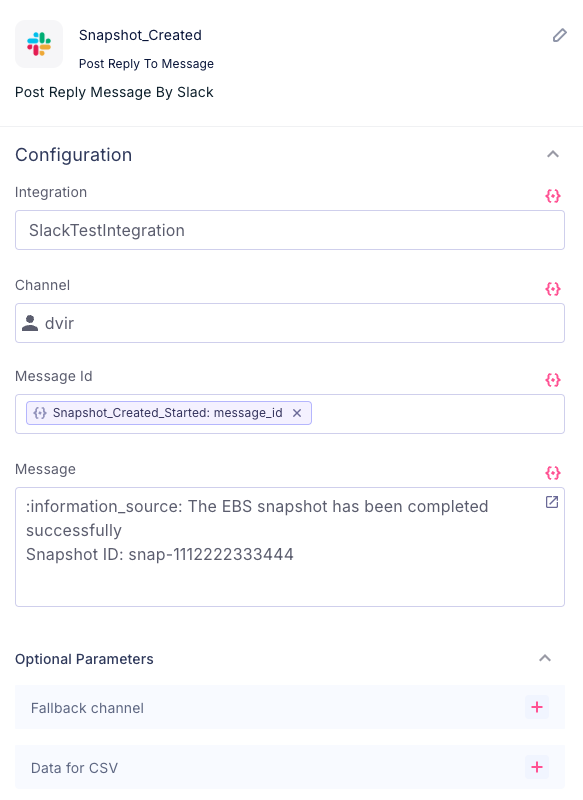
- Add the ‘Post Reply To Message’ Slack Step to your workflow.
- Configure the step by providing the following information:
- Integration: Select the same Slack integration you want to use for sending the reply as you used in the Post Message step
- Channel: Specify the Slack channel where the message you want to reply to is the same as the Post Message step
- Message ID: Provide the
message_idof the Slack message you want to reply to. This ID can be obtained from the previous ‘Post Message’ Slack Step in your workflow as mentioned above - Reply Message: Enter the content of your reply message. You can include plain text, mentions, links, or any other supported Slack formatting
- Save the step configuration.
- When the workflow is triggered and reaches the ‘Post Reply To Message’ Slack Step, it will send the specified reply message as a response to the message identified by the provided
message_idwithin the thread.