Example Workflow
This example demonstrates how to create a comprehensive report on Google Storage buckets. The workflow combines two key phases:- Discovery Phase: We list all buckets in our environment
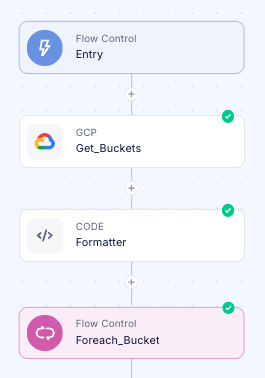
- Metrics Analysis:
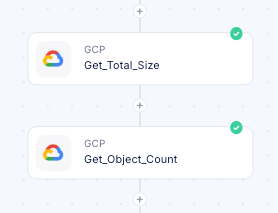
storage.googleapis.com/storage/total_bytesstorage.googleapis.com/storage/object_count
Configure The Monitoring Step
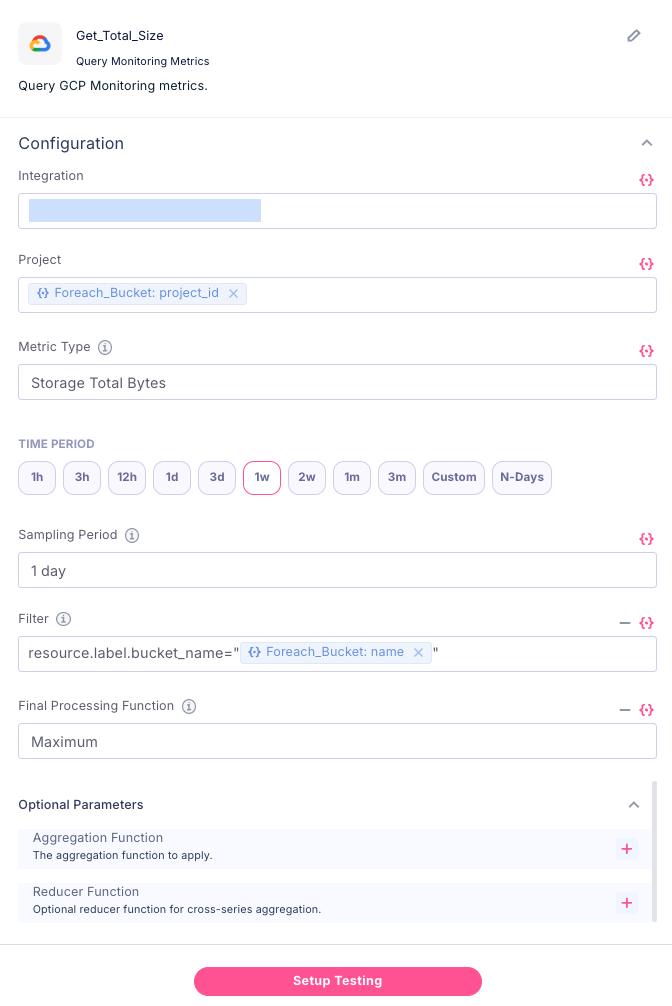
timeSeries.list method. It explains how users can retrieve specific metrics by applying filters to select particular resources or metric types, define time intervals for data collection, and perform statistical aggregations to derive meaningful insights. The guide demonstrates practical examples including listing available time series, retrieving raw data points for specific resources, aligning measurements into consistent time periods, and reducing multiple time series into aggregated views. Rather than being merely a technical reference, the document serves as a pathway for FinOps engineers and cloud administrators to transform raw monitoring data into actionable intelligence about resource utilization and performance patterns, enabling more informed decision-making about cloud resource management.
Part of this document is the #time-series_filters - which brings us to the definition of the method:

- We need to find the relevant metric we want to query (https://cloud.google.com/monitoring/api/metrics_gcp.
For our use-case, it’ll be object_count:
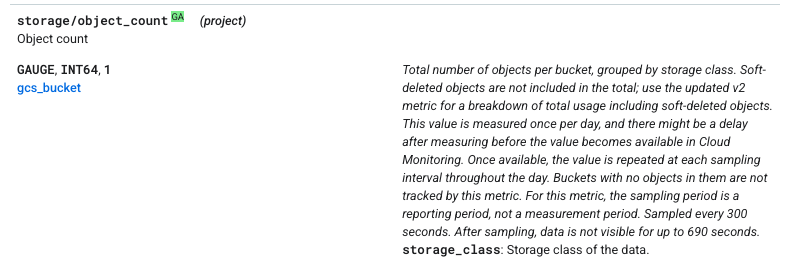
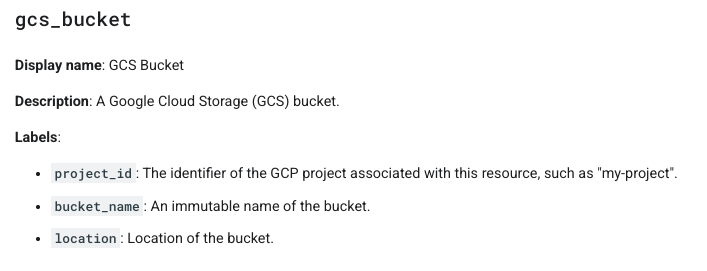
- We can see that the resource is gcs_bucket, we can now search for it in the GCP resources page to find the relevant resources labels: